
This a reproduction of an article that appeared in the September 2022 edition of the Berkshire Family Historian – the society’s quarterly magazine that is provided free to members.
Anyone who has tried to use the 1921 census, which was released earlier in 2022, will have probably come across some poor transcriptions and wondered why people find 20th century handwriting hard to read. From 1911 onwards, householders filled in their own census forms, so every entry was written by a different hand. Before that the census enumerators wrote each entry, so once you are used to it, it can become just a question of recognising their individual style of handwriting.
When you have worked through the census records, you will then no doubt also look at Parish records and order copies of birth certificates. Parish records were usually written by the local incumbent and many of them were no better at handwriting than some doctors! Registrars on the other hand were professionals and usually took great pride in their record entries, but which of us has not still struggled to decipher an unusual occupation or an unknown address?
Then you will probably turn to looking at other types of documents, such as wills and land records. Older records tend to be much harder to understand, partly due to the style of language, their use of different abbreviations and phrasing, the old script styles known as ‘hands’ and fashions in other things such as date formats.
One of the tools that I find most useful is a simple on screen ruler that helps me to keep my place in the document such as this one:
Latour, Rob. A Ruler for Windows. arulerforwindows.com/
Another simple but effective trick is to magnify the image or to highlight it in a different colour. [Ed: On many computers you can hold down the Ctrl/Cmd key and press the + key to zoom in and the – key to zoom out. Ctrl/Cmd + 0 (zero) will return you to actual size from whatever zoom level you were on)].
Then it can be very helpful to create a letter chart. Simply create a list of the letters of the alphabet and against each add an image of how that letter appears in the document, both as an uppercase and lowercase letter. You should also be aware that they sometimes used special versions of a letter when they came at the beginning or end of a word. There were also other characters such as the ‘thorn’, typically written as a ‘Y’. Once you have your chart filled in, you can use it as a reference guide throughout the rest of the document.
You will also need some practice and one of the best tutorials is on an old part of The National Archives website. There is also a good Scottish site as below.
National Archives (Great Britain). Palaeography – reading old handwriting 1500 – 1800. nationalarchives.gov.uk/palaeography/
One of their examples (Tutorial 6) is a document, dated 17 June 1554, relating to the sale particulars of the manor of Bulmershe, near Reading and is the auditor’s report on the farm of the manor. It is worth a look, not least as an item of local interest.
National Records of Scotland. Online Tuition in the Palaeography of Scottish Documents. scottishhandwriting.com/
It often helps to think about the context and structure of the type of document that you are reading. Most official documents are written in a formulaic manner and so you may be able to find a transcription of something similar. This can help you to identify common words and phrases. Then the golden rule is to transcribe what you see, not what you think the text says. Then stand back and check to see if it makes sense.
The fashionable style of handwriting used in formal documents has varied over time and by country. It is worth trying to identify the type of ‘hand’, so that you can find other examples to learn from. ‘Secretary hand’ was in general use from the start of the 16th century. This was replaced by ‘Round hand’ from the 1650s onwards, producing the italic hand that we use today. This website has pictures of the typical alphabetic letter forms, which provide a contrast to the Scottish site mentioned above.
English handwriting 1500-1700: Early Modern Handwriting: Alphabets. english.cam.ac.uk/ceres/ehoc/alphabets.html
There are also some free software packages such as the one below, which you can download. It splits the screen in two, so that you can see both the image and your transcription. [Ed: Current versions of Windows will allow you to split the screen too. Grab the top bar of an application and click and drag it off screen left or right and a background overlay will appear on that side. Release the mouse and the app will resize to fill half the screen. You can then open another app in the other windows. Use whichever tool suits you.]
Transcription editing program. jacobboerema.nl/en/Freeware.htm
It is often said that palaeography, or learning to read old writing, is just like learning to play the piano – ‘Unless you keep practising then you soon forget how to do it’. I belong to several genealogy groups and every week an image pops up on WhatsApp or Facebook, where someone is asking for help in reading a document. Typically a fresh pair of eyes can work wonders and it also helps to keep us all in practice.
Ultimately, don’t be afraid to have a go.
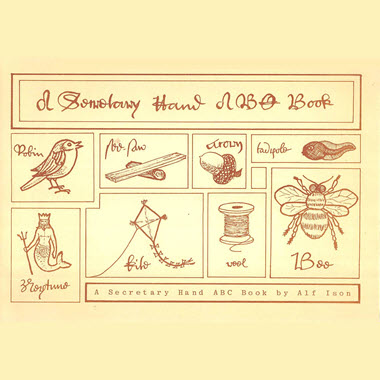
[Ed: Don’t forget that the Society sells Alf Ison’s book on A Secretary Hand, an ABC Book and that there are periodic workshops on reading old handwriting. If you can’t wait for the next workshop we also have a recorded version, in three parts, that you can stream at your leisure.
Click here to buy an access pass for the recorded workshop
